 GridKit
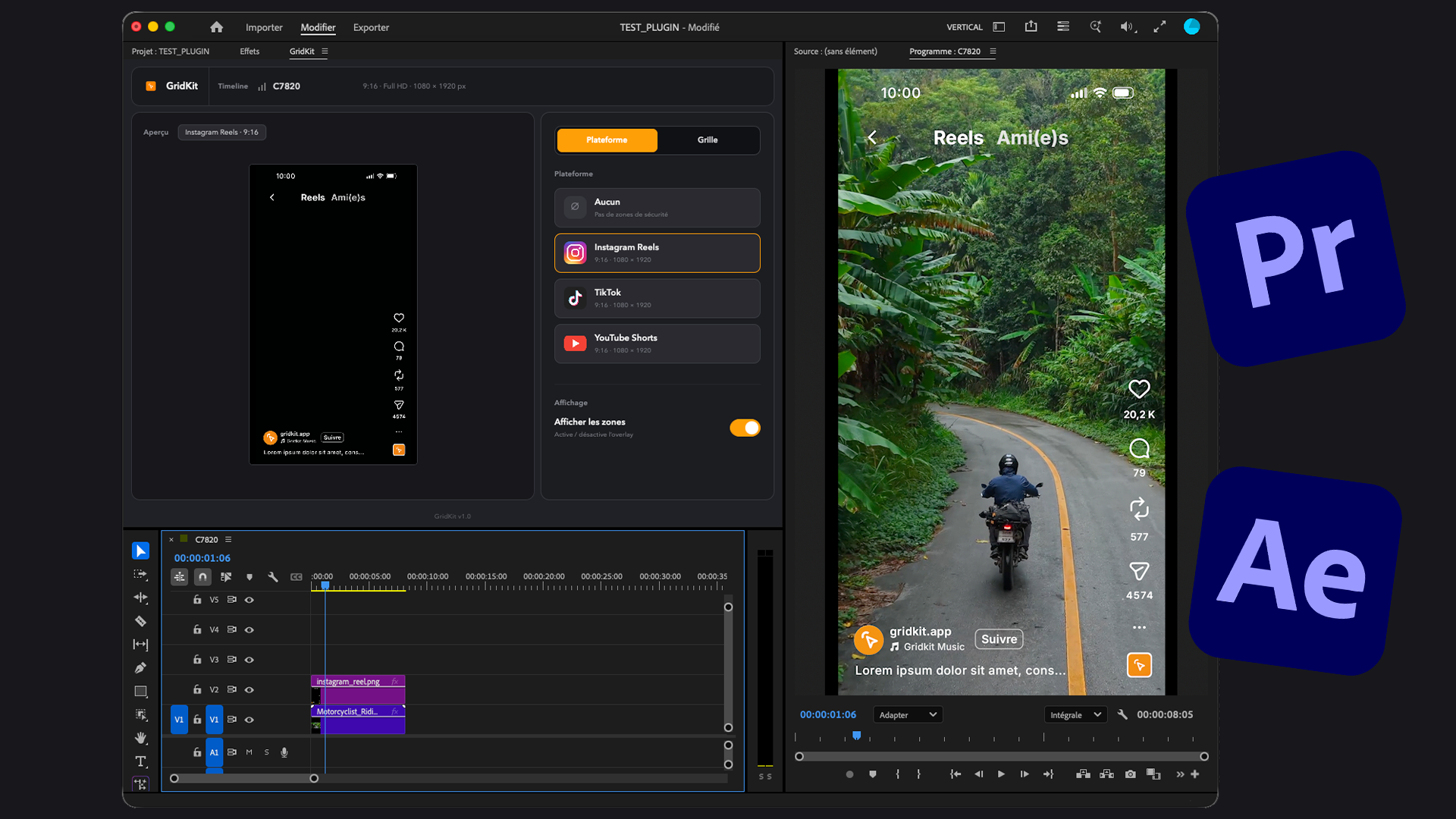
Create videos perfectly framed for Instagram, TikTok and YouTube, directly inside Premiere Pro and After Effects. GridKit shows social platform interfaces and their safe zones so your captions and graphics always stay visible.
Secure payment by Stripe
Why use GridKit?
Fast setup in Premiere Pro and After Effects
Fast setup in Premiere Pro and After Effects
Install GridKit, open Premiere Pro or After Effects, and get straight to work. No complicated setup: add your overlays and guides in a few clicks inside your timeline.
Reels, TikTok & Shorts mockups
Reels, TikTok & Shorts mockups
Display Instagram Reels, TikTok and YouTube Shorts overlays directly in Premiere Pro and After Effects. GridKit helps you place your titles, captions and key elements without them being hidden by the platform's buttons or UI.
Smart framing guides
Smart framing guides
Add clean grids on your videos in a few clicks. Thirds, center, quarters: GridKit helps you place subjects, text and visuals better without drawing guides by hand.
Works with 16:9 too
Works with 16:9 too
GridKit grids also work on classic 16:9 timelines. Perfect for framing interviews, YouTube videos, courses or corporate content, without drawing guides by hand.
Download GridKit
GridKit overlays TikTok, Reels and Shorts safe zones right on your viewer. You see what will be cropped before you shoot — not after editing.
Secure payment by Stripe